
Many years ago I was trying to program an application that was way above my skill set. But one feature I wanted was a powerful window manager similar to how Blender's UI works. Windows that can split, merge, pop-out, and swap. But unlike Blender's window manager, I also wanted the ability to have tabs for window frames, as well as the ability to have stacking windows like a traditional "MDI" app.
I ended up building a pure vanilla-JS window manager that accomplished all my goals. While I never finished that project, I was proud of the window manager I had built. I wanted to re-use it in other projects, and now that Vue is my go-to JavaScript framework I decided to port the window manager from my old application & turn it into a generic library I could use for any applications in the future.
You can find the live homepage here:
https://orokro.github.io/Vue-Window-Manager/
And there's a sweet demo of it in action here:
https://orokro.github.io/vue-win-mgr-3d-demo/
Finally, there's a full tutorial to see how it's set up:
But to use it is extremely simple, and I've very proud of how quick it is to get going.
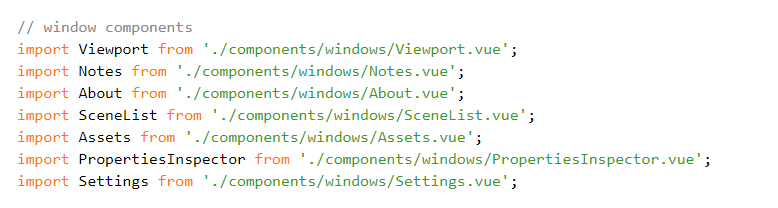
First things first - you don't have to do anything special with your Vue components at all. Just make them as you would normally, and use any state management solution you wish. Just make some "window" components, i.e. components meant to be entry points to the various parts of your app, like so:
Then just create an array of the Windows you want the Window manager to allow the user to create:
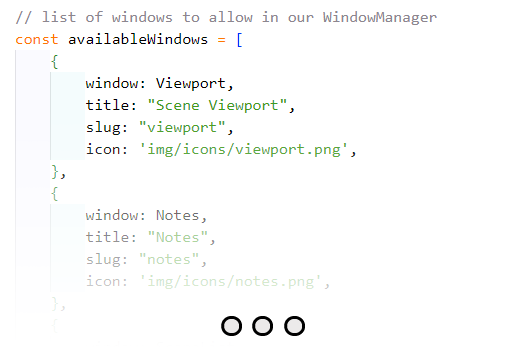
You can give them titles (which are also programmatically changeable), a slug for an easy handle reference, as well as an icon. The window: field is simply a reference to any component you wish!
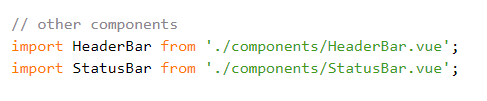
You can optionally also import Header and Footer components, if you wish to have header / status bars built in.
To mount the window manager, you can just import the library & add the component to your template, feeding in all the data we've gathered so far:
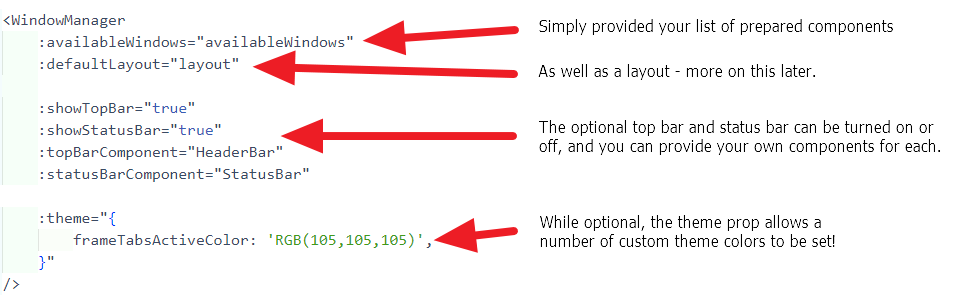
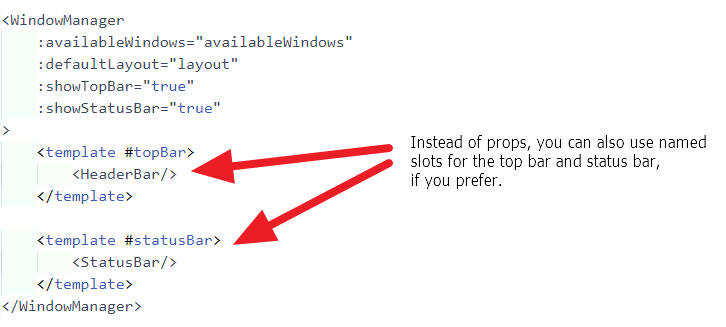
And that's it! The above example renders this 3d-editor I built using it:
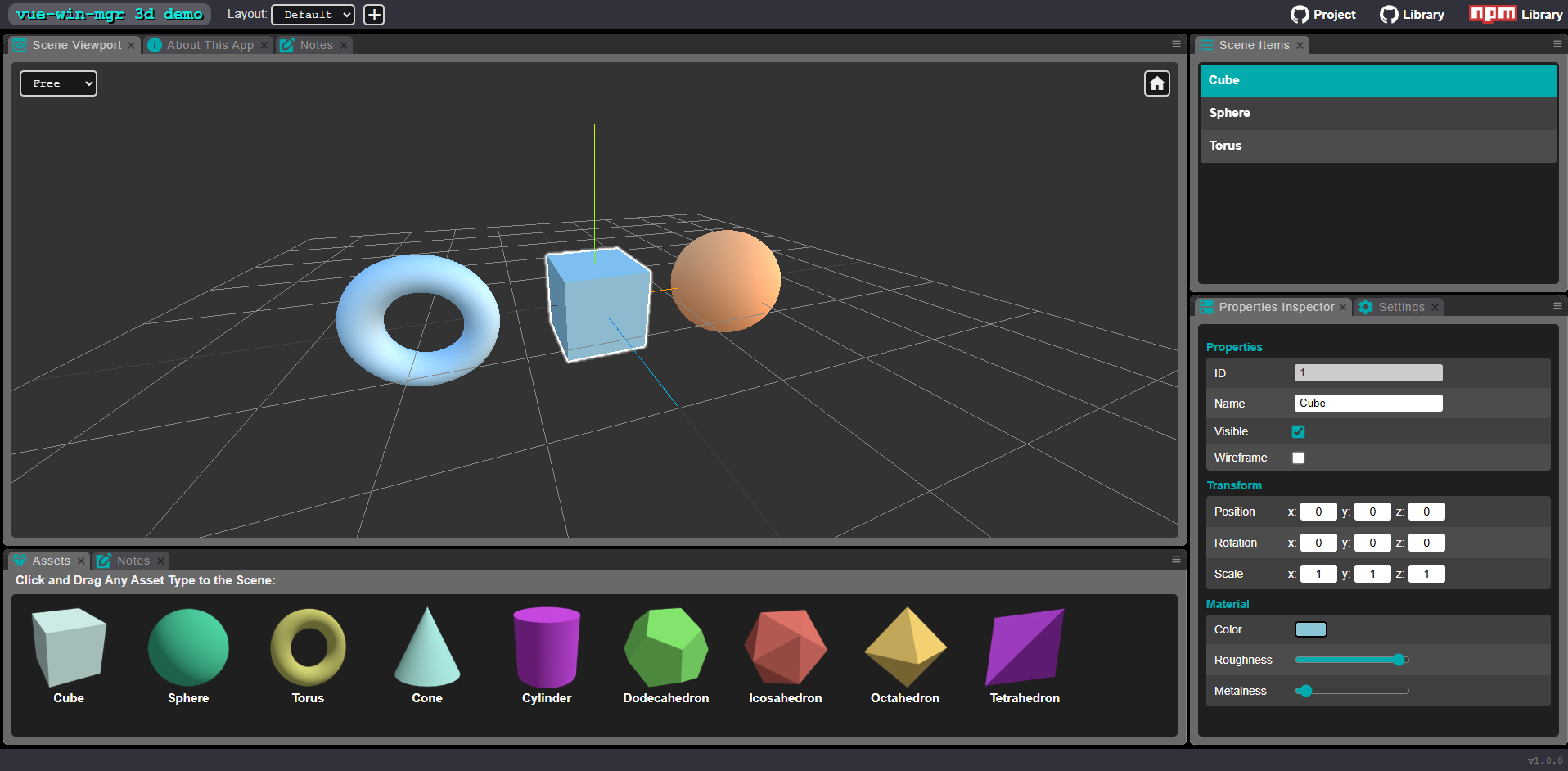
The tabs, framing, revisability, splitting and joining windows is all provided by the vue-win-mgr library, but the actual contents of the tabs/frames are the components you provided in the array earlier.
Because the window manager is ultimately a list of components, you can use any state you want for your app. The window manager just mounts the components and provides the partitioning for their mount containers.
The window manager also provides the ability to serialize and load layouts, so your application can reload the users last layout, or provide a number of default layouts. I won't go into the layout details here, but you can find documentation on the projects website.
I will be using this to build a number of desktop applications in the future!
You can find the home page here:
https://orokro.github.io/Vue-Window-Manager/#demo
You can find the GitHub here:
https://github.com/orokro/Vue-Window-Manager
You can find it on NPM here:
https://www.npmjs.com/package/vue-win-mgr
I can't wait to start shipping some things with this!